All topics
The network drive
Files and websites
Cameras and sensors
Your Address and HTTPS
The server gets a hostname of its own under nas2.dk
and a real, browser-trusted certificate, set up by itself the first time the
app runs with a connection. The devices that connect trust it as they trust
any website.
Set up by itself
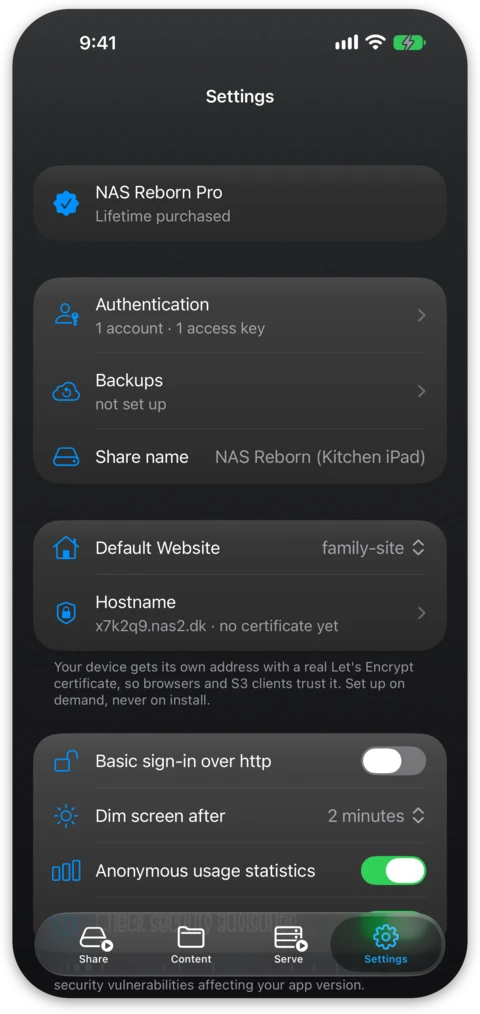
The network drive needs none of this and works on names local to your network. The hostname is assigned the first time the app runs with a connection, and the certificate follows right after: about two minutes, most of it waiting for DNS. Settings → Hostname shows where the certificate stands while that happens, and afterwards, and lets you ask for a fresh one whenever you want.
The hostname
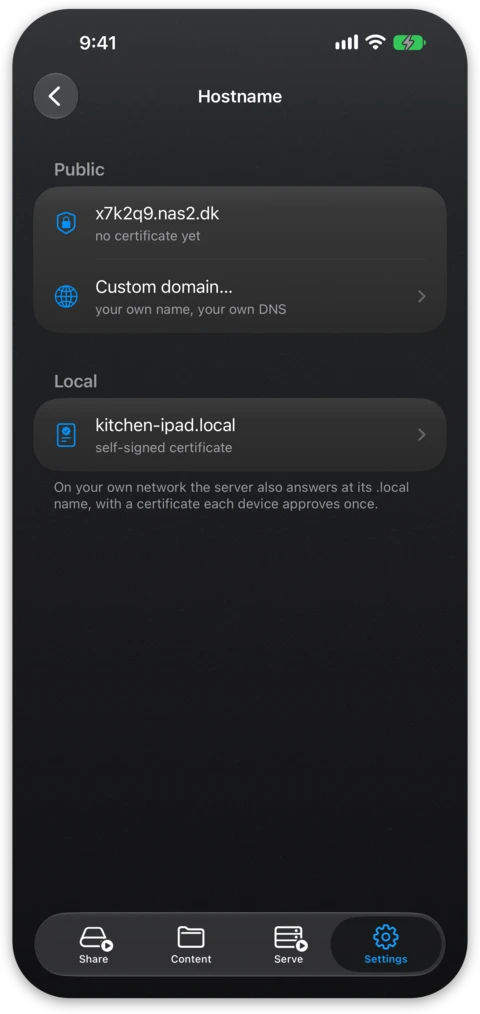
The server registers and is assigned a hostname such as dk7q2xm4bz5.nas2.dk.
Settings → Hostname lists it under Public, above the .local name the
device answers to on your own network. The public
name follows the server wherever it goes, as NAS Reborn keeps the DNS records
pointed at the current address of the device: its address on your home
network while the Serve tab is switched to LAN, and its public address once
it is switched to Internet and reachable. Links you share from the app use the
address picked on the Serve tab, which is the .local name in LAN mode until
you pick another, and this hostname after a switch to Internet.
The certificate
The certificate is a genuine Let's Encrypt certificate and the device does the work itself. It proves control of its hostname through a DNS challenge, orders the certificate and installs it. The private key is generated on the device and never leaves it, and renewal happens automatically well before expiry.
The app shows you where the certificate is in its lifecycle: validating through Let's Encrypt, active with its expiry date, or a legible error when something is wrong, such as DNS trouble, rate limits or no network.
Over that connection the server speaks HTTP/2 to any browser asking for it, so the images, stylesheets and scripts of a page all travel down one connection instead of queueing. HTTPS also lets low-latency camera feeds play at full speed, since the video player from Apple only accepts them over HTTPS.
Why the hostname is used even at home
Certificates from public authorities cannot be issued for .local names or
bare IP addresses, so those would normally produce browser warnings. The
nas2.dk hostname carries a valid certificate whichever way the Serve tab is
switched. In LAN mode it resolves to the local address of the device, and
in Internet mode to your public one, which a browser at home reaches as well
when your router passes connections to its own public address back inside
(NAT loopback). For networks where the
hostname cannot help, such as one without internet, the server can
also make its .local address trusted, described in
Trusted HTTPS on Your Own Network.
nas2.dk in the rebind-protection exceptions or switch the
DNS server of the network.Your own domain
With Pro the server also answers on a name you own, such as
files.yourdomain.com, or the bare yourdomain.com itself, since a plain A
record sits on an apex just fine. In Settings → Hostname choose
Custom domain… and create the A record (and AAAA record, when the app
shows one) at your DNS provider, with the values displayed on the screen. The
screen checks the records as you go. Asking for the certificate before the
domain points at your server brings up a warning first, because a failed
attempt counts against an hourly limit at Let's Encrypt.
The server obtains this certificate itself as well, with one difference. Let's Encrypt validates your domain by connecting to the server directly, and my backend plays no part in it. The two DNS records are the entire arrangement, and they are records you own at a provider you chose. This does mean the server must be reachable from the internet on port 443 for the certificate to be issued and renewed.
The records are also yours to maintain. When your internet provider assigns
you a new public address, the nas2.dk hostname follows it automatically;
your own records do not. The app tracks how often your address actually
changes and tells you, before you commit to a domain,
whether this connection looks like a steady home for one. If the address
later changes under a running domain, it warns you with the new value to
paste at your DNS host.
Both names serve at once, and the server answers each connection with the
certificate for the name that connection asked for, so the nas2.dk hostname
keeps working, and keeps following the device, while your own domain serves.
The address picker on the Serve tab decides which of them the app shows and
hands out, and removing the domain leaves the hostname as it was.