All topics
The network drive
Files and websites
Cameras and sensors
Device Accounts
A device account is the username and password another device signs in with. It is the credential for the network drive, for git, for protected websites and for camera feeds. Every sign-in belongs to one account. Content you set to public is the exception, as a visitor reads that without signing in.
The first account
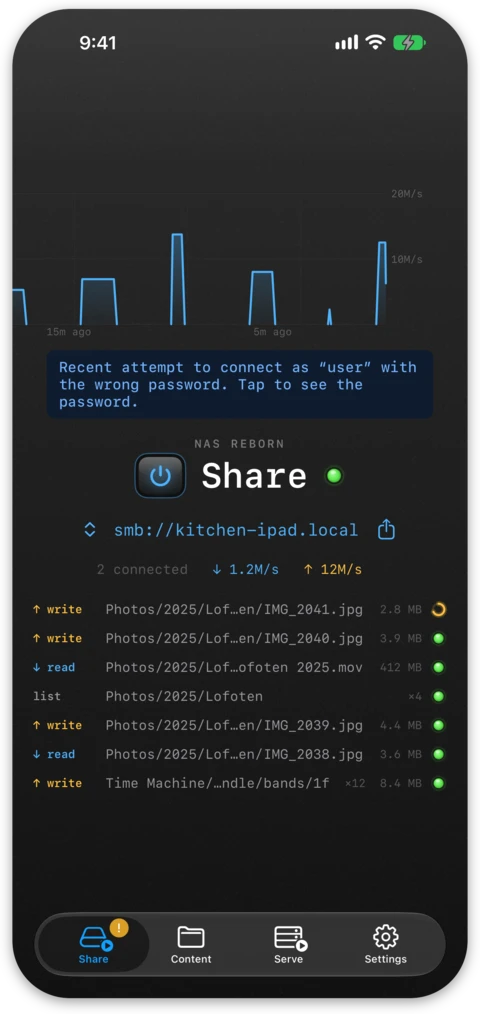
A fresh install has no accounts. When a device tries to sign in to the network
drive for the first time, the Share tab notices and offers to create that
account. The username comes from the attempt and you pick the password on the
server. When a git client, a script using the API or a camera viewer makes
first contact instead, or you set a folder to Protected, an account named
nasreborn with a strong generated password is created, so the credentials
an app or a sign-in prompt points you to always exist. You manage accounts
under Settings → Authentication on the server, where a password is revealed with
Face ID, Touch ID or the device passcode and copies with a tap. One
account is enough if you are the only user.
Why make more than one
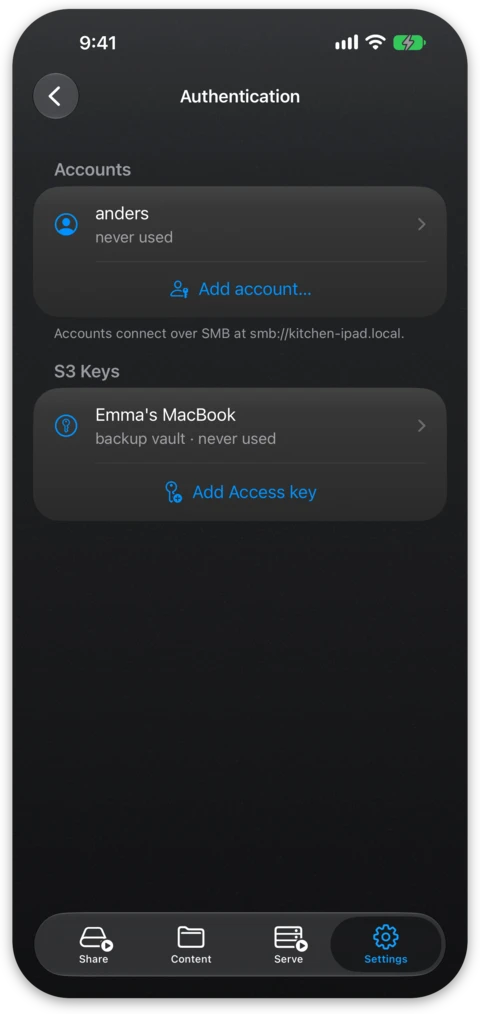
A new account reads and writes everything the server shares, so the reason to create more than one is usually revocation rather than permissions. Each person or each machine gets a login you can revoke later without touching the others, and each account shows when it was last used so you can spot a stale one. The free tier includes one account and more come with Pro, so each member of the household can have their own.
Narrowing what an account reaches
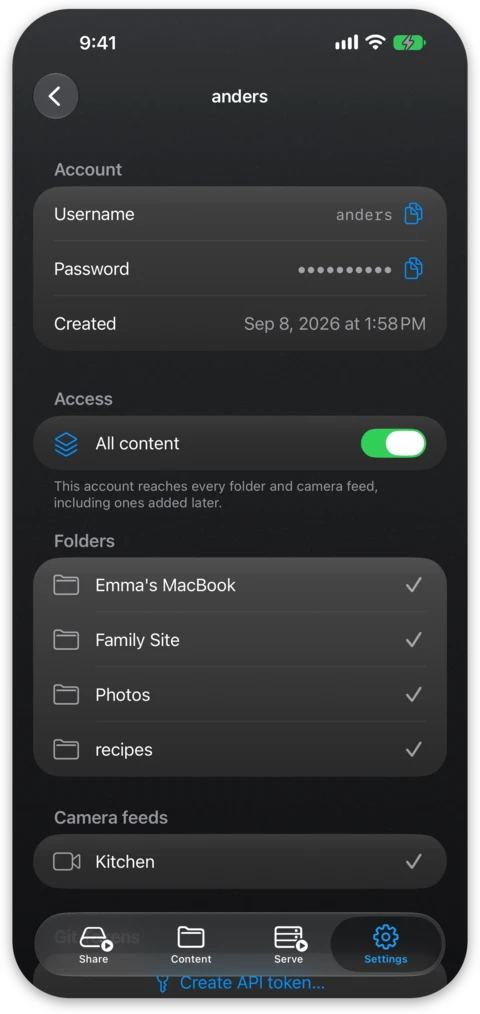
You can also limit an account to part of the server. On its screen, turn All content off and tick the folders, repositories and camera feeds it may reach. The list starts out with everything that exists right now, so switching it off takes nothing away immediately. Anything added later stays out until you tick it as well. One list covers the network drive, git and the web at once. S3 clients sign with access keys, which you narrow on the key's screen.
Content outside an account's scope behaves as if it did not exist. The share does not appear on the network drive and does not mount when it is typed in by hand, and a protected website, repository or feed answers a plain 404. A refusal would confirm what is hidden, so the server answers as it would for something that does not exist. Changing the scope of an account also disconnects sessions it has already mounted, because a network drive only checks the share name when it first connects.
Narrowing works without Pro and only takes access away from an account.
Creating an account
In Settings → Authentication, tap Add account… to make one. Usernames
are short and lowercase and can contain letters, digits and
. _ -. You type
a password or let the app suggest a strong one built from unambiguous
characters that are easy to type into a login sheet on another screen. The app
warns you about weak passwords but leaves the choice to you.
Git tokens
Once the server hosts a git repository, a Git Tokens section appears on the screen of each account. These are long random strings that stand in for the password when a git client or a script signs in, and each is revoked separately. You can read about creating and using them under API tokens on the git repositories page.