All topics
The network drive
Files and websites
Cameras and sensors
NAS Reborn on a Mac
NAS Reborn is made for the iPhone or iPad in the drawer, and the same app runs on the Mac that may be lying next to it. A Mac from 2015 or later running macOS 12 or newer, Intel or Apple silicon, serves the same drive, websites, S3 buckets, repositories, backups and camera, on the same purchase.
What is different
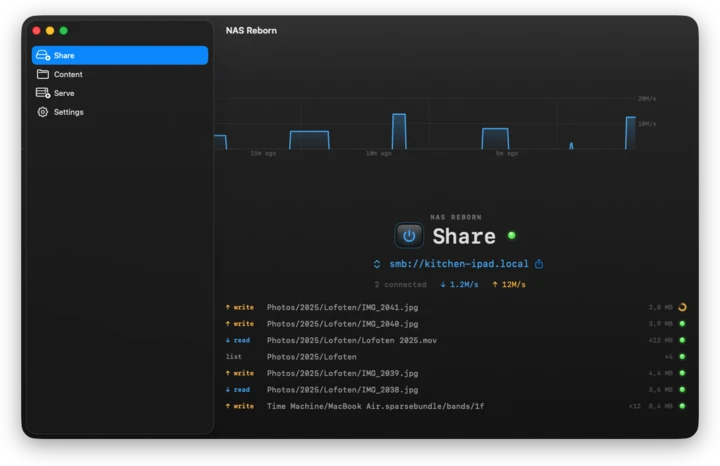
On a phone serving stops about half a minute after the app leaves the screen, longer with a Live Activity on recent versions of iOS. A Mac lets it serve in the background, and the same panels sit in a window with a sidebar in place of the tab bar, so the Mac version behaves like other Mac apps:
- Close the window and it keeps serving. An item in the menu bar shows whether sharing is on, starts and stops sharing and web serving, and brings the window back. Quitting the app stops the server.
- The display may sleep. While sharing, NAS Reborn keeps the Mac itself awake, and "Keep Mac awake" in Settings says how far that goes.
- It comes back after a restart. While sharing or serving, NAS Reborn lists itself under Login Items, as Guided Access does for the phone, and removes itself again when both are off. On macOS 12 that is not possible from an app, so add NAS Reborn under System Preferences → Users & Groups → Login Items yourself.
- Reveal in Finder takes the place of Open in Files. The served folders live in the app's own folder, and any folder on the Mac or on a drive the Finder shows can be added as an external folder, with none of the adapters or power limits a phone has. See External Drives.
- The screen is left alone. A Mac has neither dimming nor burn-in to worry about, so those settings are absent.
File Sharing and port 445
The network drive uses port 445, and macOS's own File Sharing uses the same port. While File Sharing is on, NAS Reborn cannot share and the Share tab says so. Turn it off under System Settings → General → Sharing, or System Preferences → Sharing on macOS 12, and sharing starts on its own within a minute.
macOS already lets a Mac share files and serve as a Time Machine destination, so the drive alone is nothing new on a Mac. NAS Reborn adds the rest with the same setup as on the phone: the website and S3 API with a real certificate, git hosting, encrypted backups to a friend, and the camera.
Permissions
The Mac asks for the same permissions as the phone at the point where each is first needed. On macOS 15 and later, Local Network is among them, and if it was denied the app tells you and you can allow it again under System Settings → Privacy & Security → Local Network.
Sensors and the camera
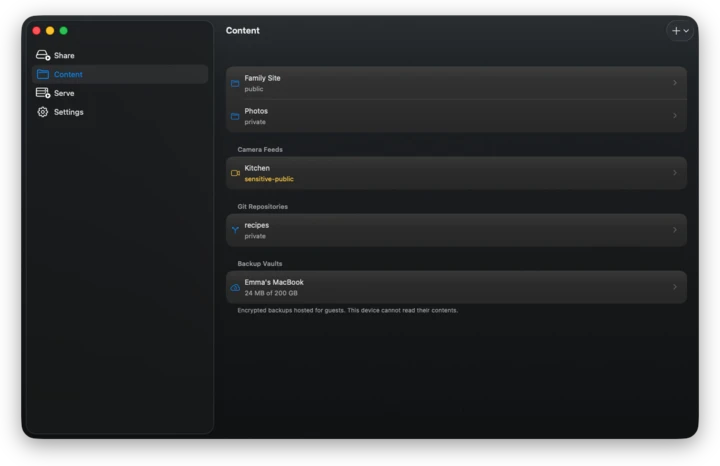
A camera feed sits on the Content tab of a Mac as it does on a phone. It uses the built-in camera, or an iPhone docked as a Continuity Camera, and the front-or-back choice does not apply. The Mac's own sensor pages read its power state (a desktop reports mains) and the thermal state, while the barometer and movement readings of a phone do not exist on a Mac. Apple Home accessories read the same way on both.