All topics
The network drive
Files and websites
Cameras and sensors
Always-On Serving
iOS does not let an app serve in the background for long, so NAS Reborn serves while it is the app on screen and for a short while after you switch away. With a little setup the device can keep serving for months at a time.
Keep the app in front
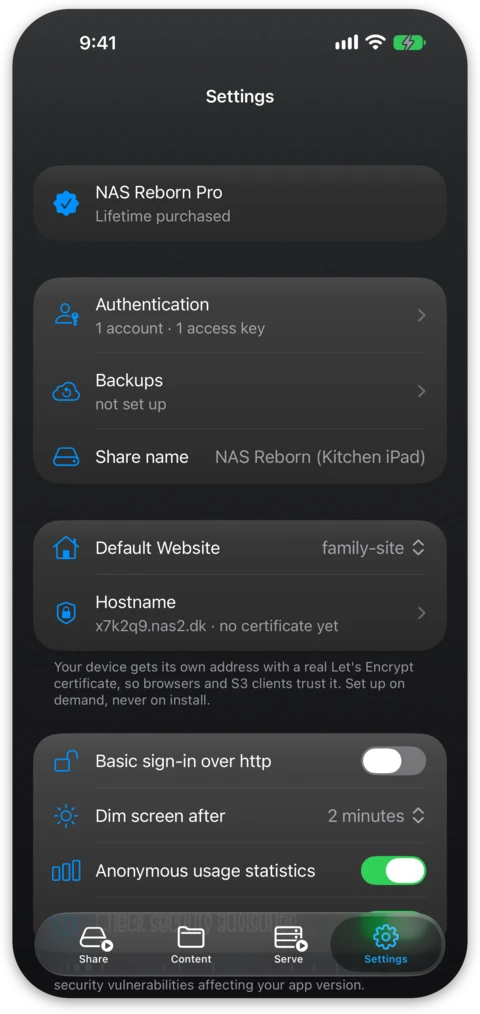
While sharing, NAS Reborn keeps the screen awake, and to spare it from burn-in Dim screen after in Settings turns the brightness down once nobody has touched the device for a while. When another app takes the screen, serving carries on for about half a minute, longer on recent versions of iOS, and then stops until NAS Reborn is back in front, so you should make sure it stays there:
- Guided Access works on any device. Turn it on under Settings → Accessibility → Guided Access, then triple-click the side or home button inside NAS Reborn. The device is now locked to the app until you triple-click again and enter the Guided Access passcode.
- Single App Mode is the stronger option and requires a supervised device configured with Apple Configurator on a Mac. The device boots straight into NAS Reborn and relaunches it automatically, even after a power failure and reboot.
Without either mode, NAS Reborn still remembers that it was serving and resumes automatically when you reopen it after a reboot or crash.
Power and battery
- Keep the device plugged in. NAS Reborn shows a warning banner with the battery percentage whenever it is sharing on battery power. A printable stand holds the phone upright with the cable attached and points its camera at the room instead of the ceiling.
- A battery held at 100% for months is a swelling risk on old cells, and iOS has no charge-limit setting on these devices. You can use a cheap smart plug that cuts charging on a schedule, for example 45 minutes on and a few hours off, to keep the battery in a healthier range.
- Keep the device out of direct sunlight and take it out of a thick case if it runs warm. The app eases off the camera when the device runs hot, and template sites can read the thermal state through the device object.
The watchdog
NAS Reborn schedules a series of notifications that it keeps postponing while serving. If the app is killed or crashes, or the device reboots without relaunching it, the postponing stops and the notifications fire after a few minutes, again after an hour and again after a day. As long as you hear nothing, the server is serving.
When you stop the server yourself the pending alerts are cancelled, so a deliberate stop does not cause a false alarm.
App updates
The App Store rarely auto-updates an app that never leaves the foreground, so you should check for updates occasionally. NAS Reborn tells you itself when an update fixes a security problem. Installing an update stops serving for a minute, so pick a moment where nothing is mid-backup and open the app afterwards, which starts serving again.