All topics
The network drive
Files and websites
Cameras and sensors
Template Sites
Plain index.html folders are enough for many sites,
but blogs and multi-page sites need layouts,
Markdown and a post list. NAS
Reborn renders these the way Jekyll does,
live on the device as pages are requested.
Turning a folder into a template site
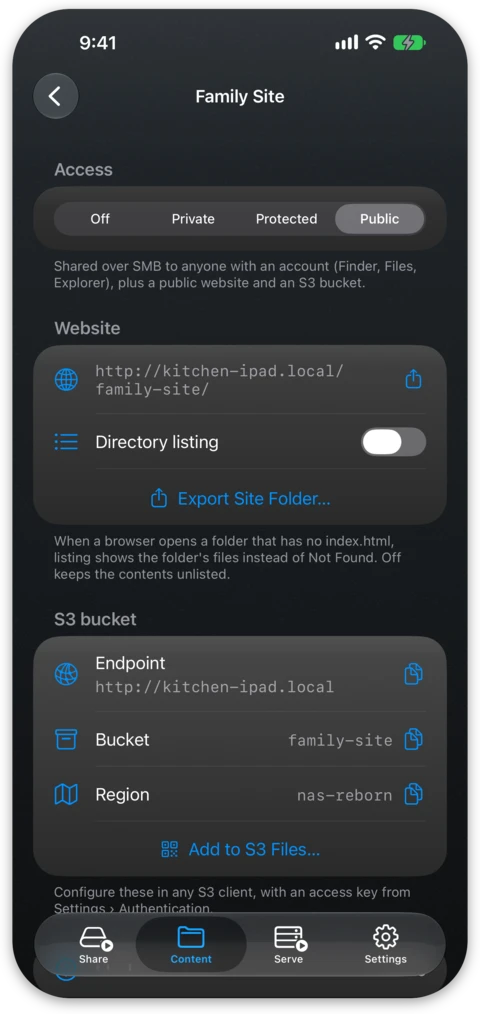
A public folder becomes a template site as soon as a _config.yml file exists
at its root. In the app it stays the same public folder at the same address.
From then on, pages beginning with front matter, which is two
--- lines around a little YAML, are rendered through templates before they
are served:
---
title: Hello from the drawer
layout: default
---

This page is written in **Markdown** and served by an old phone.
Everything else, such as images, stylesheets and plain HTML without front matter, is served as it is.
The Jekyll model
- Layouts live in
_layouts/. A page picks one withlayout: defaultin its front matter, and the layout places the body of the page with{{ content }}. Layouts can nest. - Includes in
_includes/hold shared fragments such as headers and footers. - Posts are files named
_posts/2026-07-24-my-title.md, where date and slug come from the filename.site.postslists them newest first:
{% for post in site.posts %}
  <a href="{{ post.url }}">{{ post.title }}</a> — {{ post.date | date: "%b %-d, %Y" }}
{% endfor %}
- Liquid is the template language,
with its standard tags and the familiar Jekyll filters (
markdownify,date,where,group_by,jsonifyand dozens more) used by Jekyll and GitHub Pages. Liquid is safe to use with untrusted templates. - Templates see the familiar globals:
sitefor configuration, posts, tags, categories,site.data.*from_data/files andsite.static_fileswith image sizes,pagefor the front matter of the current page, andcontentinside layouts.
Since the model matches Jekyll, an existing Jekyll blog largely serves as it
is once you drop the folder in. Sass and collections are not supported, nor
are Jekyll's highlight, link, post_url and include_relative tags,
Liquid's ifchanged tag or the find, find_exp and sample filters. A
page using one of these tags shows a render error naming the file, and an
unsupported filter leaves its value unchanged.
The device object
Templates also get a device object with live facts about the hardware doing
the serving: device.name, device.marketing_name, device.os.name and
.version, device.battery.level and .state, device.storage.total,
.free and .used, device.thermal_state, device.uptime in whole minutes
since the app was launched and device.uptime_text with the same in words,
such as "110 minutes", "4 hours" or "3 days". device.os.name is "iOS",
"iPadOS" or "macOS", and on a desktop Mac device.battery.state reads "mains"
with no level. A footer like
Served by {{ device.marketing_name }} on battery {{ device.battery.level }}%
is rendered again whenever the facts change, while pages that do not use
device stay fully cached.
Sensor readings arrive the same way, through device.sensors for the
instruments of the device itself and a home object for the HomeKit
accessories you have picked. See
Home and Sensor Data.
JSON endpoints
Rendering is decided by front matter rather than by file extension, so a file
beginning with a --- fence is rendered whatever it is called, and its name
decides the content type it is served with. This makes an API endpoint an
ordinary page:
---
layout: null
---
{"temperature": {{ home.hallway.temperature }}, "uptime": {{ device.uptime }}}
Save that as readings.json and any script or dashboard can fetch it. The
same caching and access level apply as to every other page in the folder.
Live updates
Any page can also be followed instead of polled. Request the same URL with an
Accept: text/event-stream header and the connection stays open, sending a
fresh render whenever anything the page read has changed:
const events = new EventSource("/sensors/readings.json");
events.onmessage = event => update(JSON.parse(event.data));
A render is sent only when something the page read has changed. A device
serves up to 16 of these streams at once. A browser reconnects by itself when
a stream drops. One turned away at the limit gets an error that ends its
EventSource, and the Sensor dashboard example then opens a new one after a
pause.
Example sites to start from
The Add example section of the + menu on the Content tab builds a working site from your own material (on iOS 15 the items read Example blog… and so on):
- a Blog from text or Markdown files,
- a Download site listing files you pick,
- a Gallery from photos and videos, with thumbnails generated on the device,
- and a Sensor dashboard with a tile per accessory, a
readings.jsonendpoint and tiles that update themselves over a live stream.
Each example is created protected, so you can look around in a browser after signing in with a device account and edit before deciding who else should see it. A per-folder Keep example updated switch, which is off by default, lets a newer version of the app refresh the parts of an example you have not edited. Files you have changed are left alone, and a refresh replaces untouched files without deleting any. The screen of the folder also offers a one-off Update and a confirmed Reset.
Editing and publishing
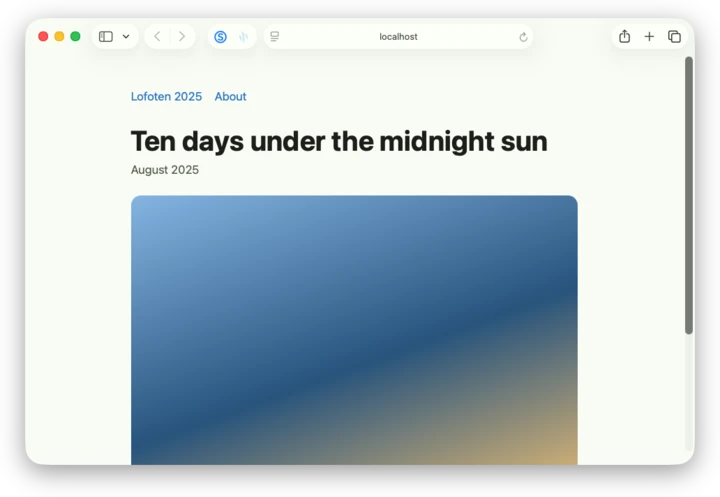
Saving a file is the whole deploy step, and the next request from a browser gets the new version, rendered on the device. You can edit directly in the Files app, sync the folder with any S3 client, or keep the site in a git repository on the device and publish by pushing to it. S3 clients see the raw source files rather than rendered output, so a synced site round-trips exactly.
Static site export
The detail screen of the folder can also export the rendered site. Every page and post is rendered to plain HTML with root-relative links, images have their metadata stripped and hidden files are left out, and the result is delivered as a folder through the share sheet. You can use this to host a copy anywhere a plain folder of files can live, or to keep a frozen snapshot of a site, with Pro.