All topics
Setting up
The network drive
Blogs and forums
Files and websites
Cameras and sensors
Your Own Forum
A forum for a football team, a school class or the people on your street. Members join with a link you share, then post, comment, share photos and answer events from their own phones and computers, in a browser. A device in your home serves the forum, and everything posted stays in a folder on it.
Make the forum
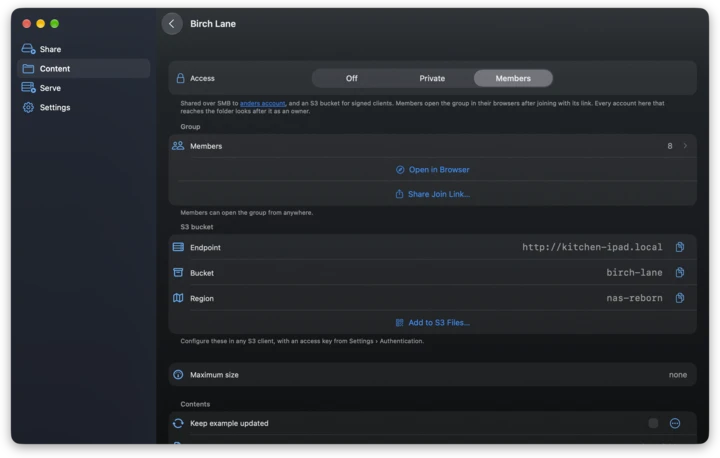
On the Content tab, choose Forum / Group… from the + menu and give the forum a name, with Pro. Members see the name at the top of every page. The app calls the forum a group from then on. On its screen in the app you invite people, see who is in it and open it in a browser.
Members open the forum wherever the device can be reached:
- with Serve set to LAN, on the same network as the device, which suits a family or a household;
- with Serve set to Internet, from anywhere, once the outside check on the Serve tab has found the device reachable. See Reaching Your Server when it has not.
The forum's screen says which of these holds right now.
Invite people
Share Join Link… on the forum's screen sends the link through Messages, mail or any other app, and Members shows it as a QR code to scan when you meet. Someone opening the link types the name the others should see them by, then waits until you or a moderator let them in. Switch off New members wait for approval to let everyone with the link straight in. The link keeps working until you turn it off or make a new one.
Open in Browser opens the forum in your browser, signed in as its owner with this device's account.
What members do
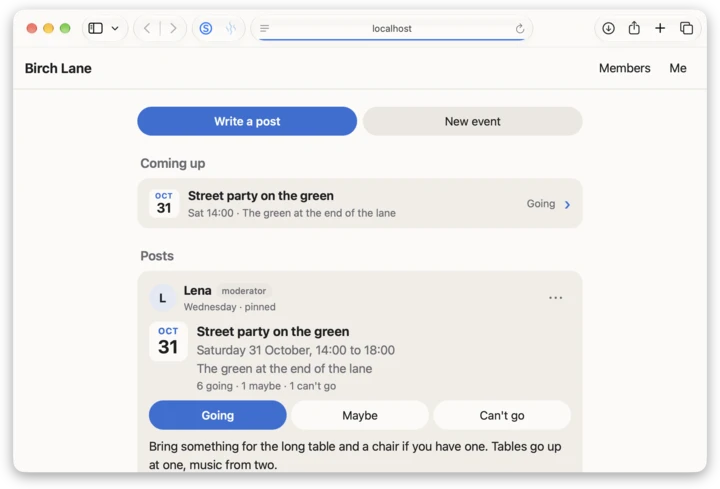
- Write a post shares text with up to ten photos and one video.
- New event adds a time and a place. Everyone answers Going, Maybe or Can't go and can add the event to their calendar, and anyone who has not answered gets a reminder the day before.
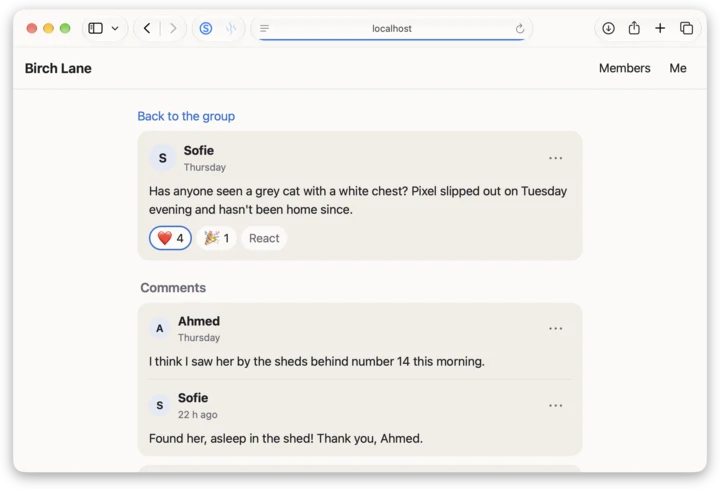
- Posts take comments and reactions, and a member can report one that does not belong.
- Get notifications on Me brings new posts, events and comments to the phone or computer in their hand. On an iPhone, members add the forum to the Home Screen first, and the forum shows how.
A member signs in once on each device. A passkey, which the forum suggests saving, lets them sign back in with Face ID or a fingerprint.
Keep it friendly
Make a member you trust a moderator in the app or on the Members page in the browser. Moderators let people in, approve posts and take down what does not belong. For someone new, Posts need approval holds their posts until a moderator has looked at them. Reports and posts waiting for approval show at the top of the forum for moderators.
Where the forum lives
Posts and comments are Markdown files in the forum's folder, with the photos and videos beside them, and the network drive, the Files app and your backups see it like any other folder. With an editor you change the forum's colors, typeface and introduction from a browser.
Groups covers the rest: personal links, signing in on another device, passkeys, calendars and who can do what.